
Step-by-step instructions
Confirm the exact machine and ownership
Photograph the manufacturer label and serial number with the seller’s consent. Compare BIOS/UEFI system information with the label and invoice. Request proof of lawful ownership, especially on devices that appear to be retired office assets.
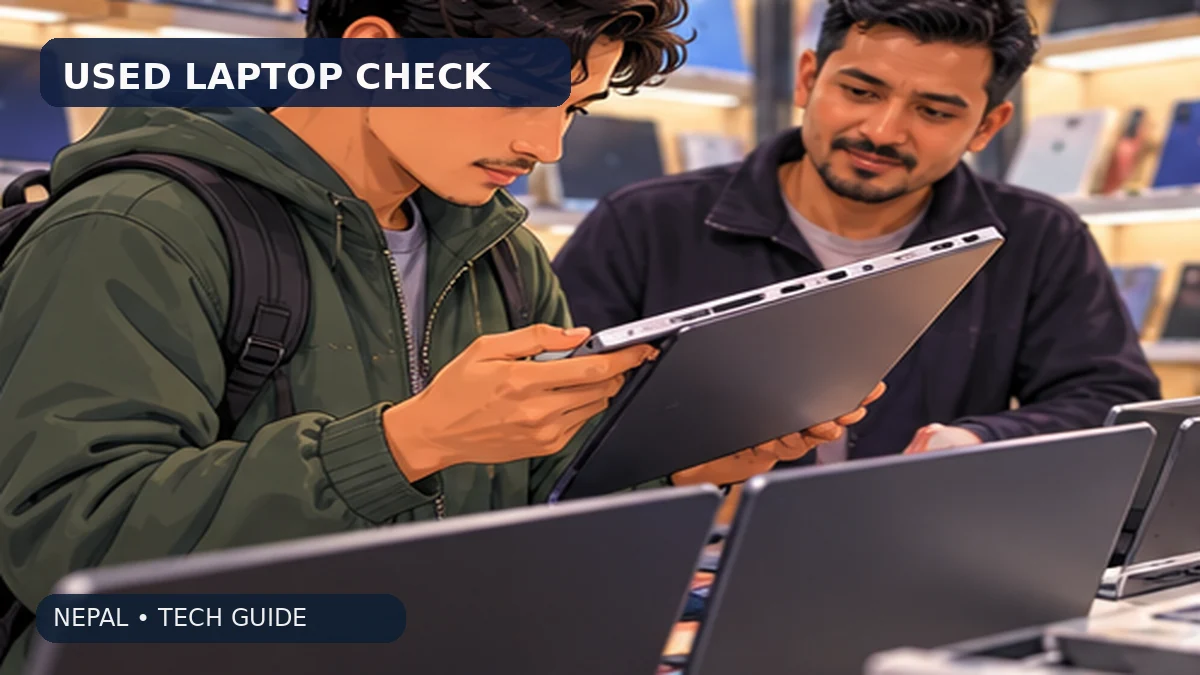
Inspect lid, hinge and case carefully
Open and close the lid gently several times and inspect cracks, missing screws, swelling or gaps around the trackpad. A bowed base can indicate battery swelling. Do not press on a swollen case or charge a visibly damaged battery.
Measure battery behaviour
Check the battery health report supported by the system. On Windows, an owner may generate `powercfg /batteryreport` and compare design capacity with full-charge capacity. This is useful evidence but only a snapshot; test unplugged operation and charger connection as well.
Test SSD/HDD and memory
Check the installed storage type, total capacity and available space. Use an appropriate SMART/health utility where supported, knowing health counters are imperfect. Confirm the displayed RAM is installed and the machine can complete a full restart without errors.
Check screen and keyboard
Display black, white and coloured images for bright/dead pixels, uneven backlight or marks. Type every common key, verify touchpad gestures and test brightness controls. Check that the hinge holds the screen at multiple angles.
Test ports, Wi-Fi, camera and microphone
Try the USB ports with a device, HDMI if relevant, headphone jack, Wi-Fi on a known network and a video call. Ask whether webcam privacy controls are available. Record any defect and deduct the repair cost or reject the machine.
Check BIOS locks, OS and account state
Confirm that the device can boot normally without an unknown BIOS password, management-enrolment prompt or prior owner’s cloud lock. An unlicensed or improperly reset OS can be a larger issue than a cosmetic scratch.
Estimate replacement costs in Nepal
Ask local repair shops for a written estimate if battery, keyboard, hinge or storage replacement is likely. Include charger and travel charges. A lower price is not cheaper if known repairs erase the saving.
Request a short written inspection window
Get seller name, serial number, battery disclosures, included charger, return period and defect policy on the receipt. If the seller refuses a reasonable demonstration or gives contradictory serial information, leave.
Back up and reset safely after purchase
Only after transfer of ownership, set up a fresh operating-system account, apply security updates, enable device encryption if supported and install applications from official sources. Verify any licence that you need for study or work.
Keep a budget alternative
Compare a used business-class laptop with a new entry-level laptop at similar all-in costs. New hardware may have a stronger warranty; used business models may offer better keyboard or serviceability but more wear.
Worked example: a low price that is not a saving
Illustration only: a used laptop offered for Rs. 42,000 needs a Rs. 6,000 battery and a Rs. 3,500 storage upgrade. Its real cost is Rs. 51,500 before transport or unexpected repairs. Compare that full amount with a dated new-laptop quote and warranty, not just the Rs. 42,000 sticker.
Mistakes to avoid
- Buying a laptop with an unknown company-management or BIOS lock.
- Ignoring a bulging battery or repeatedly failing charger.
- Using a seller’s unverified screenshot as proof of SSD health.
- Accepting a cash-only purchase without serial number or written warranty terms.
Frequently asked questions
How old is too old for a laptop?
Age alone is insufficient. Consider supported OS/security updates, battery replacement availability, performance and the actual condition.
Is an SSD essential?
An SSD generally makes application launches and file loading much more responsive than an older hard drive, but check its size, health and controller.
Should I purchase a used MacBook without an Apple ID reset?
No. The previous owner must remove account and activation locks properly before ownership transfers.
Do I need to reinstall Windows?
A clean setup from an official source is sensible after ownership transfer, but verify licence and hardware drivers first.
Evidence and further reading
Retail offers, operator terms, device models and application steps can change. Check original sources for updates. NepalAnswers does not certify a seller, warranty, financial service or network quality through these guides.
Retail prices, package terms and service availability can change; this page does not claim live pricing or hands-on device testing.
 How to Choose a Student Laptop in Nepal Without OverpayingNepal student laptop buying checklist: compare RAM, SSD, CPU, screen, authorised warranty, keyboard, VAT bill and seller quotations.
 Laptop Under Rs. 80,000 in Nepal: Student ConfigurationsPractical NPR 80,000 laptop buying choices for Nepali students: CPU class, RAM, SSD, display, battery, Windows and genuine warranty.
 How to Choose a Student Laptop in NepalPlain-English checklist for choosing a student laptop: RAM, storage, battery, warranty and the software your course requires.