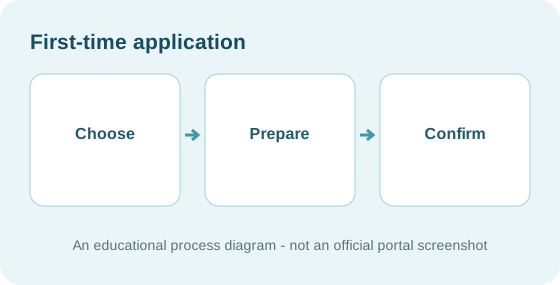
Independent information — not a government website
NEPALANSWERS PERSONAL ASSISTANT · GOVERNMENT DOCUMENTS

Nepal passport application and renewal

Choose the correct passport pathway, prepare relevant originals and avoid common pre-enrolment errors.

राहदानी आवेदन सहायता
Illustrated, step-by-step assistancePrivate browser checklistSupporting-document examplesनेपालीमा सहयोग
PASSPORT PRINTING & COLLECTION · राहदानी स्थिति

Already applied? Check printing and collection status

Choose the official status lookup or follow our explanation of the result. Your personal identity details stay on the government's website, not NepalAnswers.

STEP 1 · TELL US THE SITUATION

Make your task plan

Choose options only. No name, citizenship number, licence number, password or personal files will be sent to this page.

ILLUSTRATED WALK-THROUGH · GUIDED ASSISTANCE

Complete your task with a thorough step-by-step guide

Each illustration is paired with a document-preparation list, four smaller actions, solutions when blocked, and a clear completion check. Images are conceptual diagrams, not official portal screenshots. Always follow current official requirements.

Step 1 of 6

Your route: First passport

Current progress: I am starting. Current difficulty: No particular issue.

For your selected situation: Confirm the first-issuance option rather than renewal.

Conceptual preparation guide for First passport; not a government screenshot.

Illustration only · Open larger image ↗

SELECT PATH · GUIDE STEP 1 / 6

First passport — your specific route

Start here: this illustrated introduction changes with the situation you selected. The document checklist below is also tailored.

Your selected situationFirst passport · Inside Nepal Confirm the first-issuance option rather than renewal.
The main action

Confirm your situation before following the general process illustrations.

Before you start this step

  • Review the documents shown for your selected situation below
  • Check the official requirements linked alongside each document

Follow these smaller actions in order

These ticks only track preparation in this browser tab. They do not submit or approve an application.

Stuck or getting an error? Open detailed solutions
  • If the case does not match you, change the situation above and update your plan.
  • For time-sensitive or unusual cases, verify the latest procedure with the relevant authority.
What you should have at the end: A situation-specific document and action checklist that you have checked.
Avoid this mistake

Do not use a checklist for another application type, different applicant category or country.

How to tell you're ready

You can identify your selected route and have checked its supporting evidence.

Continue through the general illustrated instructions and your selected document pack.

When the authority's action is required: Passport process and requirements ↗. You remain in control of your official account.
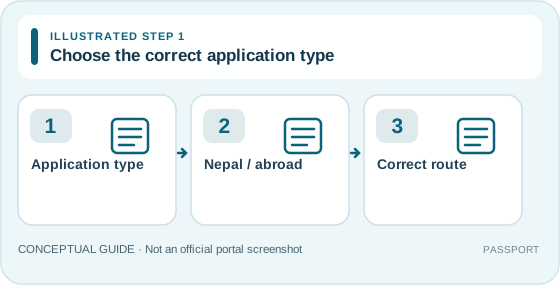
Illustrated passport guide, step 1: Application type, then Nepal / abroad, then Correct route. Not an official website screenshot.

Illustration only · Open larger image ↗

PLAN · GUIDE STEP 2 / 6

Choose the correct application type

Decide between first issue, renewal, lost/stolen or damaged replacement. Rules also depend on where you apply.

The main action

Use your selected case below and check the current official process.

Before you start this step

  • Whether this is a first passport, renewal or replacement
  • Your application country and responsible office or embassy

Follow these smaller actions in order

These ticks only track preparation in this browser tab. They do not submit or approve an application.

Stuck or getting an error? Open detailed solutions
  • Unsure which option fits? Compare the official passport process definitions before completing the form.
  • Passport reported lost and later found? Follow the official rule; do not attempt to travel on a reported-lost document.
What you should have at the end: The correct application category and processing location have been selected.
Avoid this mistake

The domestic appointment route may not match an embassy process.

How to tell you're ready

The right application route is identified.

Continue to: Prepare the required evidence

When the authority's action is required: Passport process and requirements ↗. You remain in control of your official account.
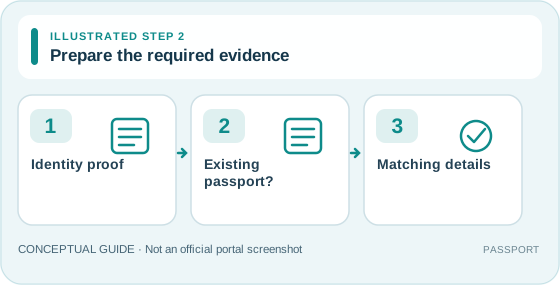
Illustrated passport guide, step 2: Identity proof, then Existing passport?, then Matching details. Not an official website screenshot.

Illustration only · Open larger image ↗

CHECK · GUIDE STEP 3 / 6

Prepare the required evidence

Review the authority checklist for your application route; compare the spelling and dates across all documents.

The main action

Gather originals and current scan copies if requested.

Before you start this step

  • Original citizenship/minor identity document as applicable
  • Old passport and additional proof for replacement or correction

Follow these smaller actions in order

These ticks only track preparation in this browser tab. They do not submit or approve an application.

Stuck or getting an error? Open detailed solutions
  • Spelling or date does not match? Seek the required correction evidence before booking.
  • Files rejected? Re-check format, orientation and the current portal limit; never assume a universal limit.
What you should have at the end: All relevant originals and electronic attachments are present and consistent.
Avoid this mistake

Upload limits vary by official portal and step.

How to tell you're ready

Documents are ready for the chosen route.

Continue to: Complete official pre-enrolment

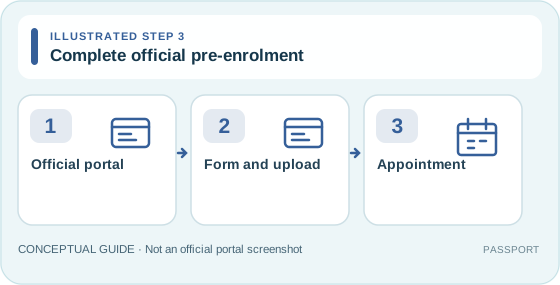
Illustrated passport guide, step 3: Official portal, then Form and upload, then Appointment. Not an official website screenshot.

Illustration only · Open larger image ↗

PREPARE · GUIDE STEP 4 / 6

Complete official pre-enrolment

Use the official service yourself. Carefully select type, location and appointment options if offered.

The main action

Read each field before submission; keep authentication codes private.

Before you start this step

  • The correct application category and office
  • Current official appointment instructions

Follow these smaller actions in order

These ticks only track preparation in this browser tab. They do not submit or approve an application.

Stuck or getting an error? Open detailed solutions
  • No appointment available? Check official booking guidance or contact the chosen office; avoid paid unofficial slot sellers.
  • Form times out or does not accept a file? Save no sensitive data with the assistant; retry the official portal and follow its support advice.
What you should have at the end: An official appointment/pre-enrolment record generated by the government system, if the submission succeeded.
Avoid this mistake

This drawing is not the live government form.

How to tell you're ready

You know where to submit and what to check.

Continue to: Review the generated document

When the authority's action is required: Passport process and requirements ↗. You remain in control of your official account.
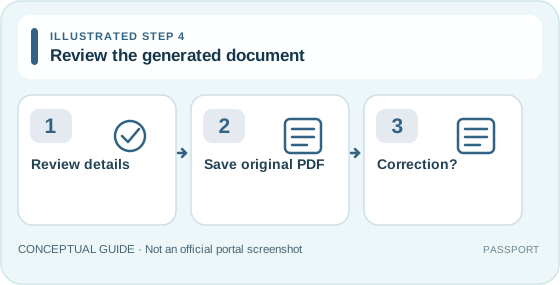
Illustrated passport guide, step 4: Review details, then Save original PDF, then Correction?. Not an official website screenshot.

Illustration only · Open larger image ↗

PREPARE · GUIDE STEP 5 / 6

Review the generated document

Check the generated application file, spelling, type, date and appointment location against original evidence.

The main action

Correct mistakes through the authorised process before relying on the barcode or QR document.

Before you start this step

  • Official pre-enrolment PDF or summary
  • Original supporting identification

Follow these smaller actions in order

These ticks only track preparation in this browser tab. They do not submit or approve an application.

Stuck or getting an error? Open detailed solutions
  • Wrong details after submission? Follow the official correction or rescheduling guidance; do not quietly submit duplicates.
  • Downloaded file is blank or damaged? Re-download from the official account after verifying its URL.
What you should have at the end: A correctly reviewed official summary and appointment instructions.
Avoid this mistake

Do not edit an official QR/barcode document as if it were a template.

How to tell you're ready

The document matches your original details.

Continue to: Attend and follow up

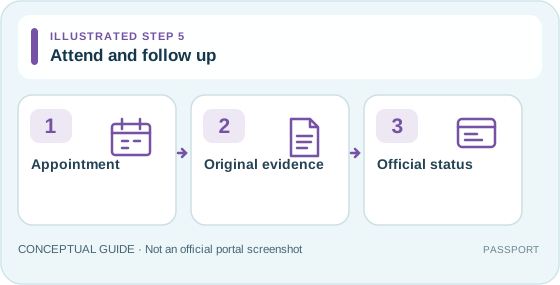
Illustrated passport guide, step 5: Appointment, then Original evidence, then Official status. Not an official website screenshot.

Illustration only · Open larger image ↗

FOLLOW UP · GUIDE STEP 6 / 6

Attend and follow up

Bring the documents and receipt requested by your appointment centre; track genuine status using the authority.

The main action

Keep confirmation securely and use official channels for changes.

Before you start this step

  • Required originals, confirmations and any authorised payment evidence
  • Location-specific appointment instructions

Follow these smaller actions in order

These ticks only track preparation in this browser tab. They do not submit or approve an application.

Stuck or getting an error? Open detailed solutions
  • Missed the appointment? Follow published rescheduling guidance for the relevant office.
  • No status after the stated period? Contact the issuing office with your private receipt/reference.
What you should have at the end: Government receipt or confirmed next step; approval is never implied by a completed NepalAnswers checklist.
Avoid this mistake

A personal checklist cannot confirm issue or collection.

How to tell you're ready

You know the authorised final steps.

Review your completed checklist, then follow the relevant official instructions.

When the authority's action is required: Passport process and requirements ↗. You remain in control of your official account.
PERSONALISED TROUBLESHOOTING

If something goes wrong: No particular issue

These actions apply to the problem and progress you selected above. They do not replace an official status or rejection notice.

    If you are blocked, use the existing NepalAnswers tool or an official source listed below. Do not submit passwords, OTPs or identity documents to this guide.

    PREPARATION · GET READY

    All evidence to check across the process

    Some items are only created after submission or apply conditionally. Use the four-stage document guide above to see when each item is needed.

    PERSONALISED ACTION CHECKLIST

    Your next actions

    DOCUMENT PACK · WHAT TO GATHER

    Documents for your selected situation / आवश्यक कागजात

    Choose application type and age first. Official domestic document rules differ from overseas mission requirements. For under-16 applicants at the Department of Passports, additional guardian evidence applies.

    नेपालीमा सहयोग: पहिले नयाँ राहदानी, नवीकरण, हराएको, बिग्रिएको वा विवरण सच्याउने विकल्प छान्नुहोस्। नेपालभित्र र विदेशमा कागजात फरक हुन सक्छन्। मूल कागजात र आधिकारिक बारकोड फाराम जाँच्नुहोस्।

    Review status: reviewed-selected-rules ? Last editorial check: 2026-10-17 ? Official issuing source ?

    You are preparing: gather the first section now. The barcode and fee receipt are normally obtained later in the official process—not before you begin.

    1. Prepare BEFORE opening the official form

    Have these originals or files ready to review and enter the form

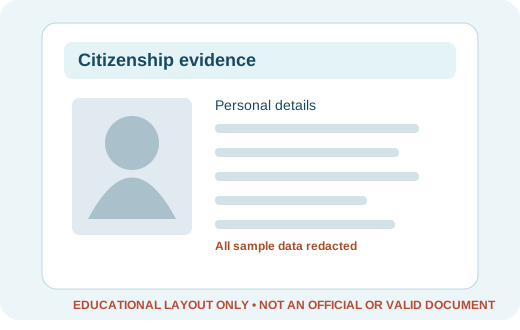
    Original citizenship certificate or eligible minor identity card
    Educational document layout: Original citizenship certificate or eligible minor identity card (no real personal information)
    Illustrated example — not an issued document.

    Required for the relevant process stage

    WhyPrimary identity to establish an applicant record

    Before useCarry original; do not rely only on a phone photo.

    Official information ↗ · Document reviewed: 2026-10-17

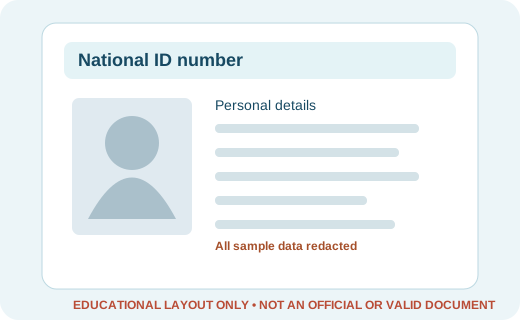
    National Identity Card or National Identity Card number
    Educational document layout: National Identity Card or National Identity Card number (no real personal information)
    Illustrated example — not an issued document.

    Required for the relevant process stage

    WhyListed by the Department of Passports for applications within Nepal.

    Before useEnsure the number belongs to the applicant; verify how the rule applies to minors at your office.

    Official information ↗ · Document reviewed: 2026-10-17

    2. Obtain DURING the official application

    These are generated or issued as you complete an authorised online or mission step

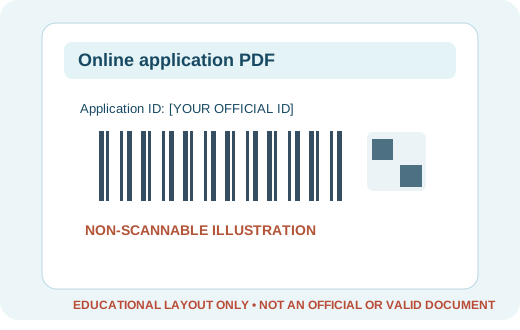
    Original generated barcode / QR application PDF
    Educational document layout: Original generated barcode / QR application PDF (no real personal information)
    Illustrated example — not an issued document.

    Required for the relevant process stage

    WhySubmitted online pre-enrolment form

    Before useKeep actual downloaded PDF or printed copy—not only a screenshot.

    Official information ↗ · Document reviewed: 2026-10-17

    3. Carry AFTER applying / at an appointment

    Keep the official PDF, receipts or other follow-up evidence for the next stage

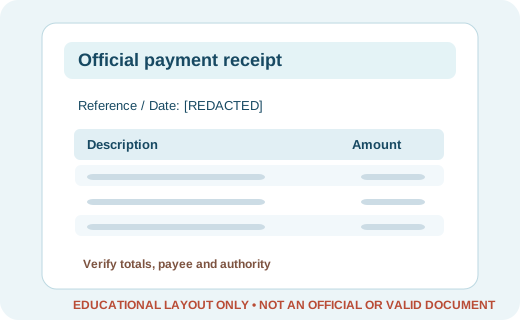
    Official revenue payment bank voucher or cash receipt
    Educational document layout: Official revenue payment bank voucher or cash receipt (no real personal information)
    Illustrated example — not an issued document.

    Required for the relevant process stage

    WhyPayment evidence for the authorised application

    Before useVerify the details match the relevant official record; do not share credentials or OTPs.

    Official information ↗ · Document reviewed: 2026-10-17

    4. Only IF APPLICABLE — confirm current requirements

    These are conditional, not yet individually verified, or depend on the issuing office

    Current authority instructions still take precedence.

    Selected situation: First passport. Keep following the official instructions for your exact location and scenario.

    DOCUMENT WORKSHEETS · PREPARE WITH CONFIDENCE

    Ready-to-use document preparation templates

    Fill in these worksheets using information from your own original documents. They are preparation aids, not forms issued or endorsed by the government. Check current official requirements before submission.

    Document readiness worksheet

    Fill in only your own verified information; this is not an official government form.

    Process: [FIRST]
    Location: [NEPAL]
    Identity fields: [MATCH YOUR OWN ORIGINALS]
    [ ] Original citizenship certificate or eligible minor identity card
    [ ] Original generated barcode / QR application PDF
    [ ] Official revenue payment bank voucher or cash receipt
    [ ] National Identity Card or National Identity Card number

    Application follow-up worksheet

    Keep official references privately and never include passwords or OTPs.

    Official authority: [AUTHORITY NAME]
    Application/reference: [STORE SECURELY]
    Submitted on: [DATE IF SUBMITTED]
    Current official status: [VERIFY AT AUTHORITY]
    Issue or rejection text: [EXACT MESSAGE]
    Next action and due date: [YOUR NOTES]
    OPTIONAL · PRIVATE CALCULATOR

    Prepare an itemised cost estimate

    Enter only amounts you have confirmed in the same currency. Official charges are not automatically populated or validated; do not pay a third party until you verify the recipient and fee.

    Nothing calculated yet.

    OPTIONAL · NO-UPLOAD CHECK

    Check a document file on this device

    Select a PDF or image to see its file type, size and image dimensions where available. The file stays in your browser; we do not read the document text or upload it. The result does not certify that the official portal will accept it.

    No file selected.

    FINAL HANDOFF · CONFIRM WITH THE AUTHORITY

    Complete the final authorised step

    We help you prepare and check your situation. The government or relevant provider controls real-time account records, official approvals, biometrics and payments.

    Source authority: Department of Passports. Document evidence has individual editorial review dates. Confirm current rules directly with the authority before applying; review status is not continuous or an approval guarantee. This guide does not claim live access to your government account.

    NEPAL ANSWERS · QUICK ACCESS

    Where would you like to go?

    Reading preferences

    Only saved on this device.

    Press Esc to close